Core Concepts
Activity Notifications
Staying informed about background agent activity.
Blaze is designed for high-concurrency workflows where multiple agents may be working simultaneously in different worktrees. To help you manage this, Blaze includes an intelligent Activity Notification system based on unread badges.
Unread Badges
When an agent in a background session (one you are not currently viewing) performs a visible action, a blue notification badge appears next to that session in the sidebar.
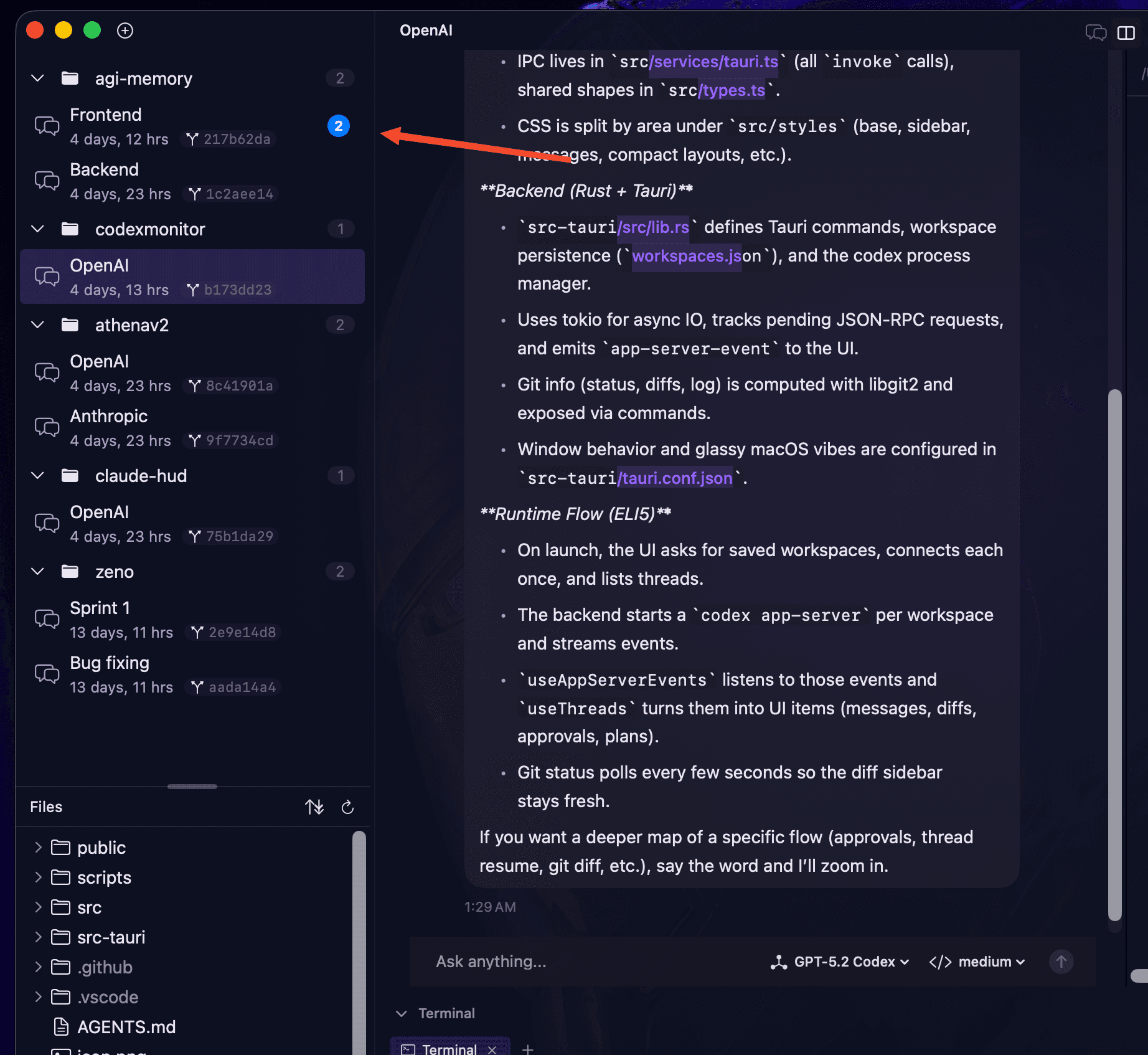
What triggers a notification?
Not every internal event triggers a badge. Blaze only increments the unread count for visible activity, including:
- Assistant Responses: When the model starts or finishes a message.
- Tool Calls: When an agent initiates a
Bash,Read, orWriteoperation. - Diff Generation: When a new code change is proposed and ready for review.
- User Questions: When an agent pauses to ask you for clarification.
Managing Attention
- Background Persistence: Badges persist as long as the session remains in the background. This allows you to work focused in one worktree while knowing exactly which other agents have made progress.
- Automatic Reset: Selecting a session from the sidebar immediately clears its unread count and hides the badge.
- Visual Priority: Badges use the cockpit's accent color to draw attention without being intrusive, following the same "GORGEOUS by Default" principles as the rest of the UI.
Why this matters
In a multi-agent environment, losing track of "who is doing what" is a major bottleneck. Blaze's notification system ensures that you are always aware of:
- Ready Reviews: Which agents have finished their task and are waiting for your "Accept" on a diff.
- Blocked Agents: Which agents have hit a logic error or require a manual decision.
- Background Progress: The overall pulse of your parallel workforce.
Next: Isolated Git Worktrees.