The Launchpad
Provider Authentication
Connecting Claude, Gemini, and OpenAI.
Blaze is a "harness"—it uses the official CLI tools from major AI providers. This means your authentication is handled securely by the vendors themselves.
Claude Code (Anthropic)
Blaze triggers the official claude login sequence. When you start your first Claude session:
- A browser window will open automatically.
- Sign in to your Anthropic account.
- Blaze will detect the active session and initialize the cockpit.
Note: Your credentials are stored in the macOS Keychain by the Claude CLI, not by Blaze.
Gemini CLI (Google)
For Google's Gemini models, Blaze utilizes the gemini auth login flow. Ensure you have your Google Cloud project configured if you are using Vertex AI variants.
OpenAI Codex
Codex integration typically requires an OpenAI API Key. You can configure this in the Engines section of Settings.
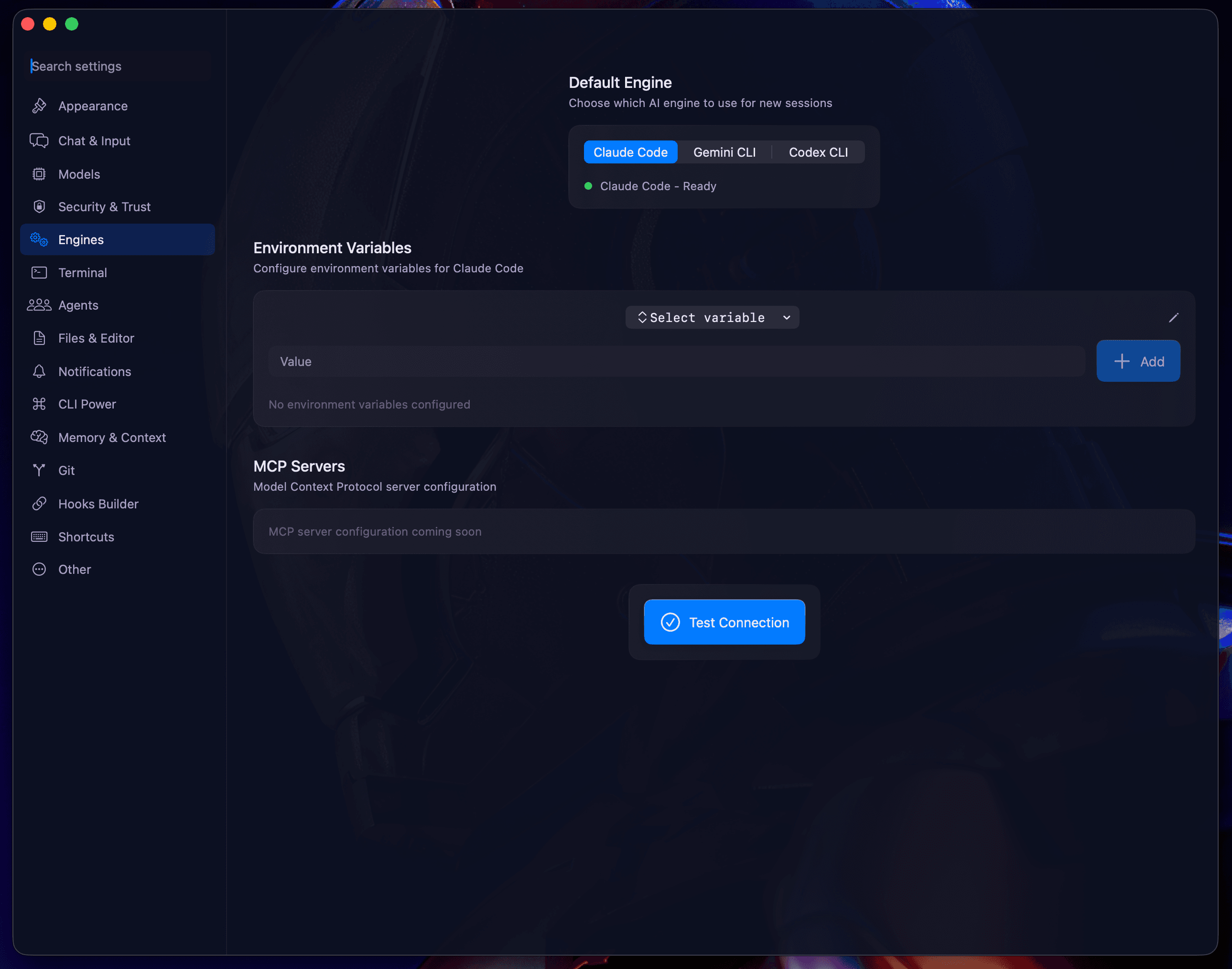
Key Management
- Security: We recommend using the "Trusted" mode if you are storing keys in your environment.
- MCP Servers: If you use Model Context Protocol (MCP) servers, you can manage their authentication headers in the same panel.
Now that you're authenticated, let's explore the Core Concepts.