Settings Masterclass
Appearance & Theming
Making the cockpit your own.
Blaze is designed to be "GORGEOUS by Default," but every developer has their own aesthetic preference. The Appearance section gives you full control over the visual identity of the app.
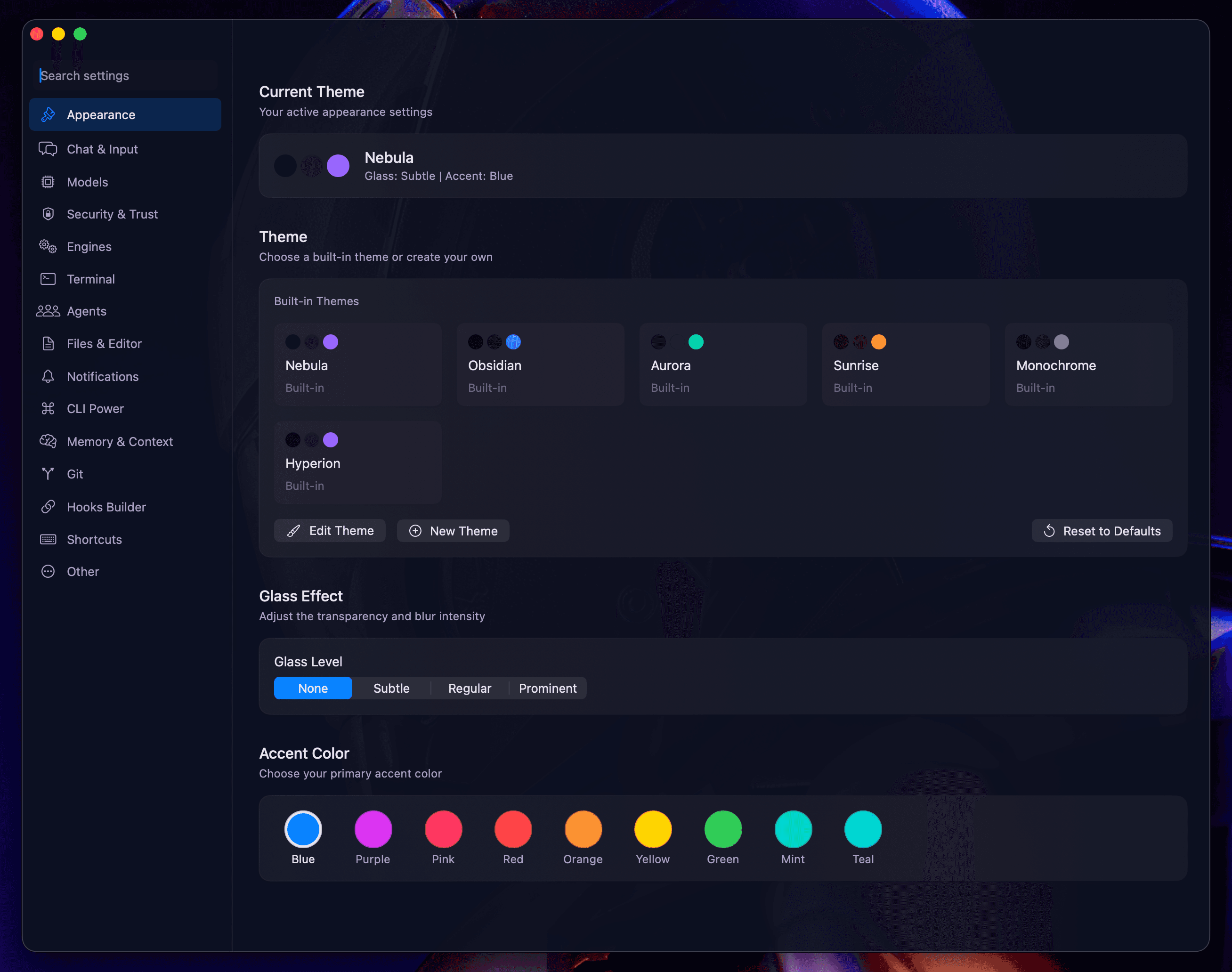
Built-in Themes
Choose from six professionally crafted themes:
- Nebula: The flagship deep blue dark aesthetic.
- Obsidian: Pure dark with minimal contrast for deep work.
- Aurora: Vibrant cyan and teal accents.
- Sunrise: Warm dark with orange highlights.
- Monochrome: Grayscale only for minimalists.
- Hyperion: The original purple dark aesthetic.
Transparency & Glass
Adjust the "Glass Level" to control the intensity of the NSVisualEffectView vibrancy:
- None: Solid backgrounds.
- Subtle: A light hint of the desktop background.
- Regular: The standard Blaze balance.
- Prominent: High-intensity glassmorphism for a futuristic feel.
Custom Accents
Select from nine preset accent colors (Blue, Purple, Pink, Red, Orange, Yellow, Green, Mint, Teal) to instantly change buttons, highlights, and icons throughout the application.
Next: Chat & Input Configuration.